
Your processes as the starting point
Stages, rules and responsibilities are made explicit. Modules are chosen around your organisation’s priority operations.
Products & operations
Software that speaks your business language.
Custom operations, roles, dashboards and integrations.
Explore this offerIllustrative interface · example of use
The solution, explained
Organisations centralising processes currently spread across files, messages and separate tools.
Business software connects operations, people and information. We start with how you work to design software that organises tasks and gives a clear activity overview.
Stages, rules and responsibilities are made explicit. Modules are chosen around your organisation’s priority operations.
Screens and permissions follow team responsibilities. Approvals and sensitive information are addressed within the agreed scope.
Dashboards, data migration and connections to existing tools are explored together. The aim is to find the right information at the right time.

Illustrative scene · generated image
Your business guides the decisions
Bring business operations together in software adapted to your team’s responsibilities.
The people using the software, available devices and how you work matter as much as functions. We discuss these constraints from the start.
Describe my needsBefore work begins
The published information and scoping points below prepare your proposal. Selected functions, their limits and delivery terms are confirmed in the quote.
We discuss your business, users and priorities. Content, access and constraints are identified before the proposal.
Journeys and interfaces make choices tangible. Agreed approvals guide development of the selected functions.
Checks and delivery follow the agreed criteria. Training and follow-up are defined for the project.
The price is taken from the published offer. Functions, volumes, required content and deliverables are confirmed in the proposal. This page explains possible uses of the solution.
Yes. Describe your business and important user journeys. We discuss adaptations, connections to existing tools and their effect on scope.
We identify available materials and what needs preparation during scoping. Responsibilities for copy, images, translation and access are set out in the proposal.
Training, maintenance and future changes are discussed with you. Third-party services and follow-up arrangements are clarified before work begins.
These case studies show needs and interfaces related to this expertise. Each project has its own scope and budget.
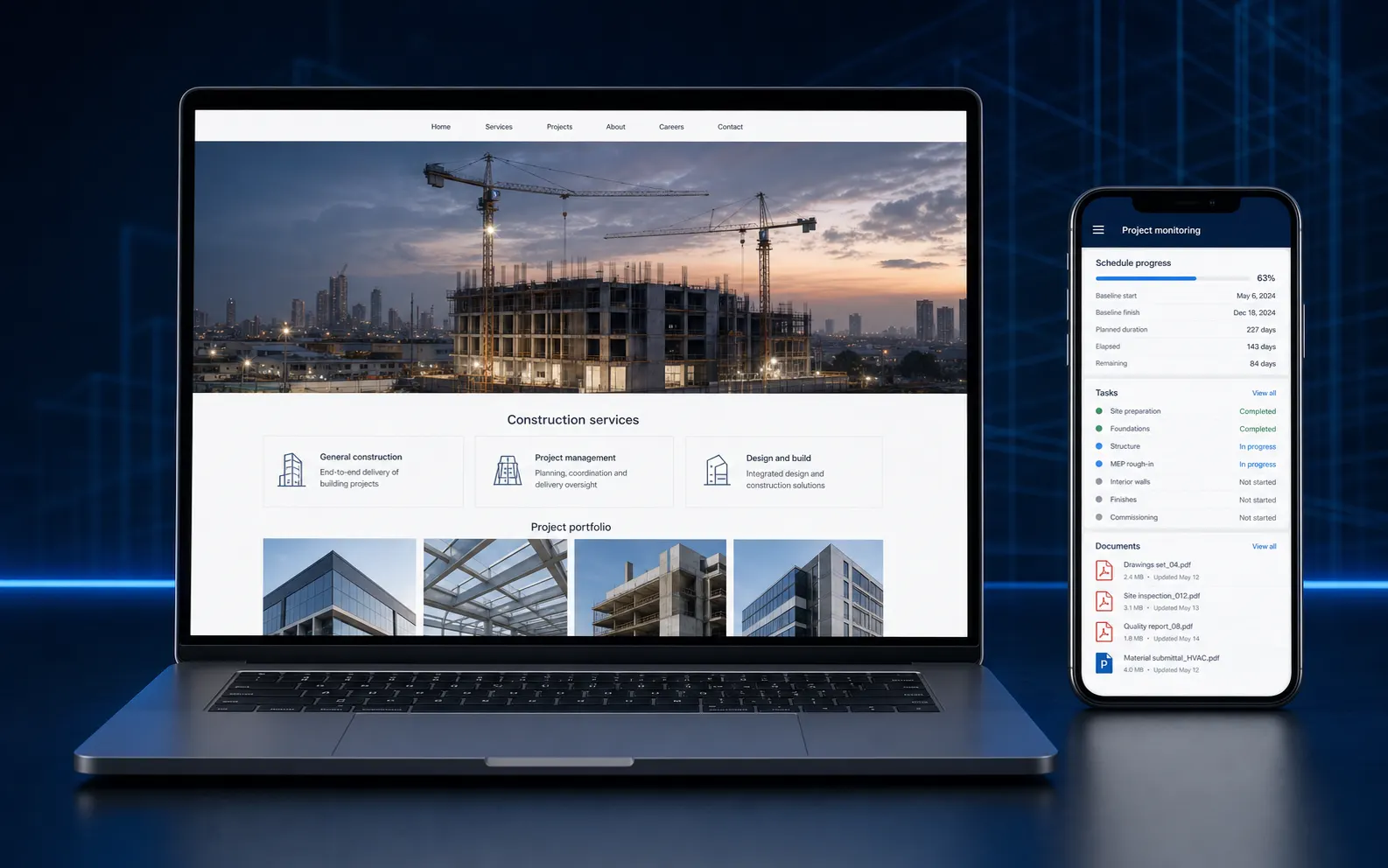
Agency delivery
Connect a construction company’s public presence with its day-to-day project management tools.
See the solution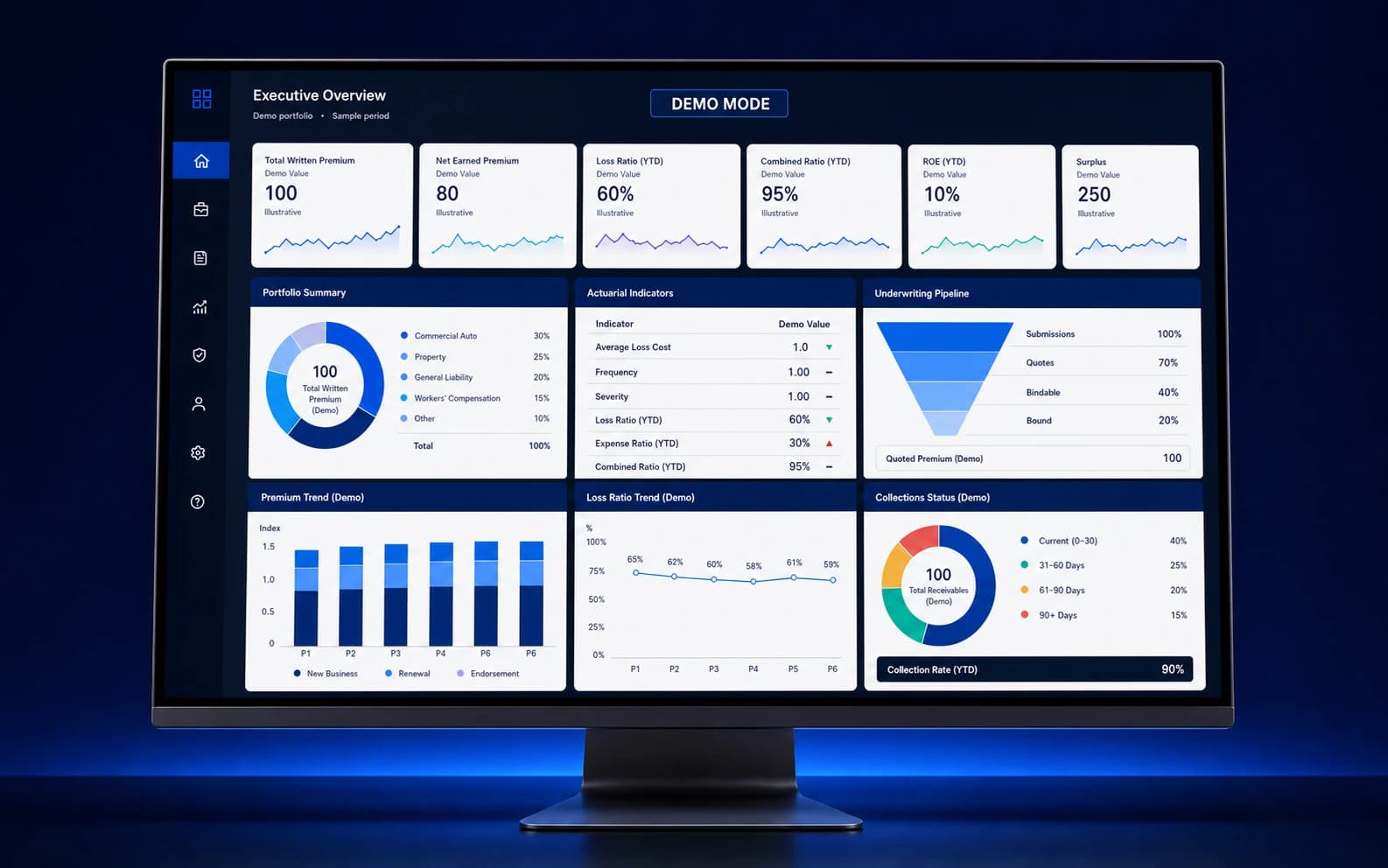
Previous engagement contribution
Connect actuarial, underwriting, contract-management and collections operations.
See the solution